Muck with your network.
Zero certs required.
The missing mocking sidekick for OkHttp. Intercept, pause, and inject mock API responses on Android in real time — via phone WebView, desktop browser, CLI, or automated CDP scripts.
🚀 60-Second Instant Experience
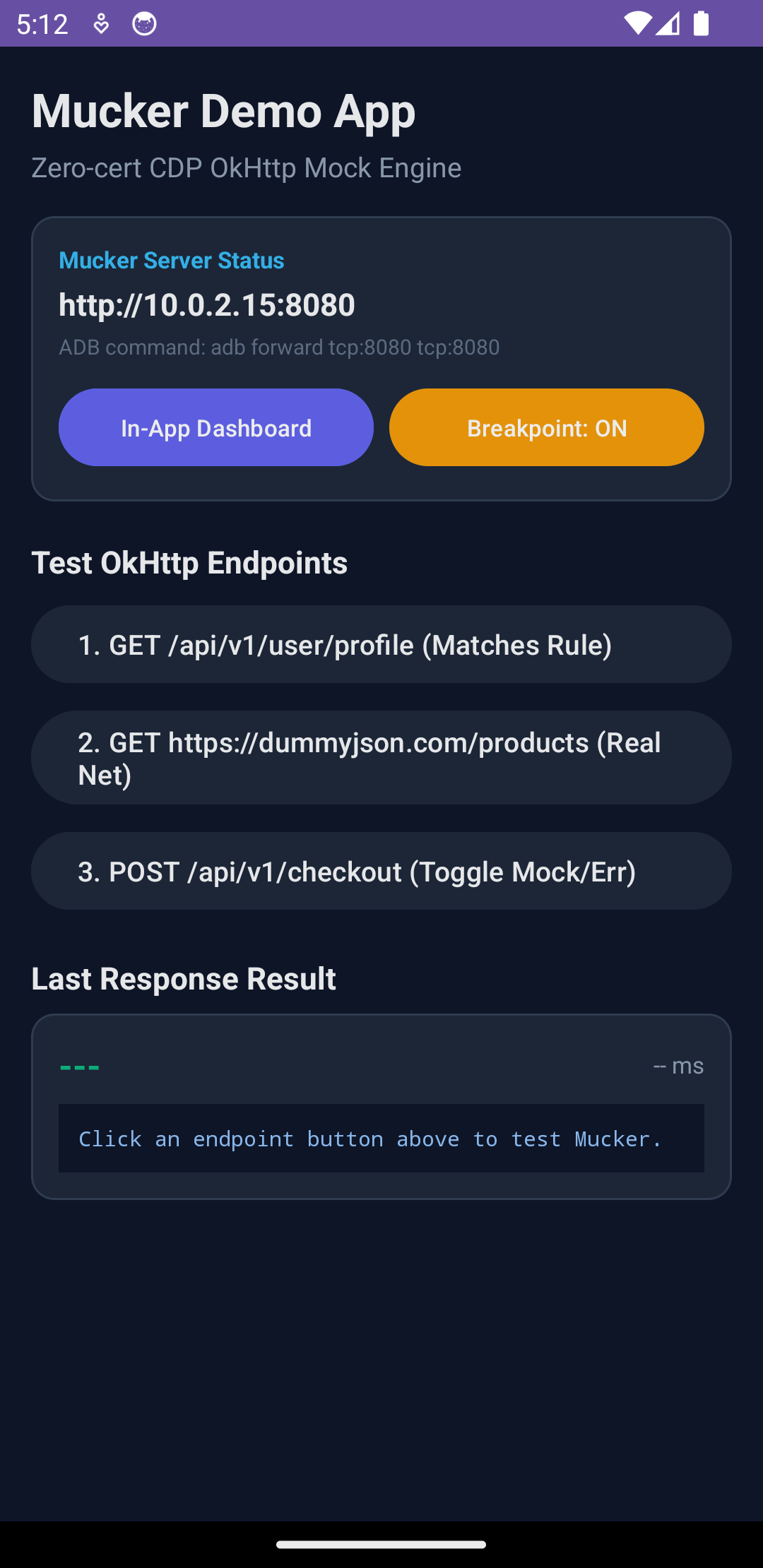
Zero configuration, zero certificate installation. Run the demo locally in one command, or launch entirely in your browser with GitHub Codespaces.
One-Line Automated Demo
No manual ADB configuration or Gradle wrangling required. One single command boots the emulator, installs the demo APK, forwards port 8080, and opens the Web Dashboard in your browser.
npm run demo
- ✓ Auto-detects connected phone or starts local AVD emulator
- ✓ Builds & installs
:app:installDebugin seconds - ✓ Auto-wires
adb forward tcp:8080 tcp:8080 - ✓ Automatically opens
http://localhost:8080in your browser
GitHub Codespaces / Dev Container
Don't have Android Studio, JDK 17, or Android SDK installed on your machine? Run everything inside a pre-built cloud container with zero local dependencies.

- ✓ Pre-configured with Ubuntu 24.04, OpenJDK 17, Android SDK 34, Node 22
- ✓ Auto-runs
./gradlew :app:assembleDebugon container creation - ✓ Automatically forwards port 8080 for web dashboard preview
- ✓ Also supports VS Code Remote - Containers locally
Playwright / Puppeteer Chaos
Randomly inject HTTP 500 errors and 504 timeouts into native Android OkHttp in CI/CD using standard Node.js scripts without root or CA certificates.
npm run chaos:playwright
- ✓ Connects over CDP (
chromium.connectOverCDP) - ✓ Random fault injection: HTTP 500, 504 Timeout, 429 Rate Limit
- ✓ Verifies app recovery, retry buttons, and error UI in CI/CD
- ✓ Zero certificates or proxy servers to maintain
Zero-Friction Live Mocking
No extra "Enter Edit Mode" button barrier. Select any network request from the list and immediately edit its JSON response payload in-place.
⌘S / Ctrl+Enter to Save Mock Rule
- ✓ Embedded CodeMirror editor with syntax highlighting & code folding
- ✓ Direct click-to-edit with instant
● Unsavedstate tracking - ✓ Bi-directional hover link: highlights waterfall bar & guide timeline
- ✓ One-click JSON formatting, copying, and reverting
Live Dashboard & Inspector Showcase
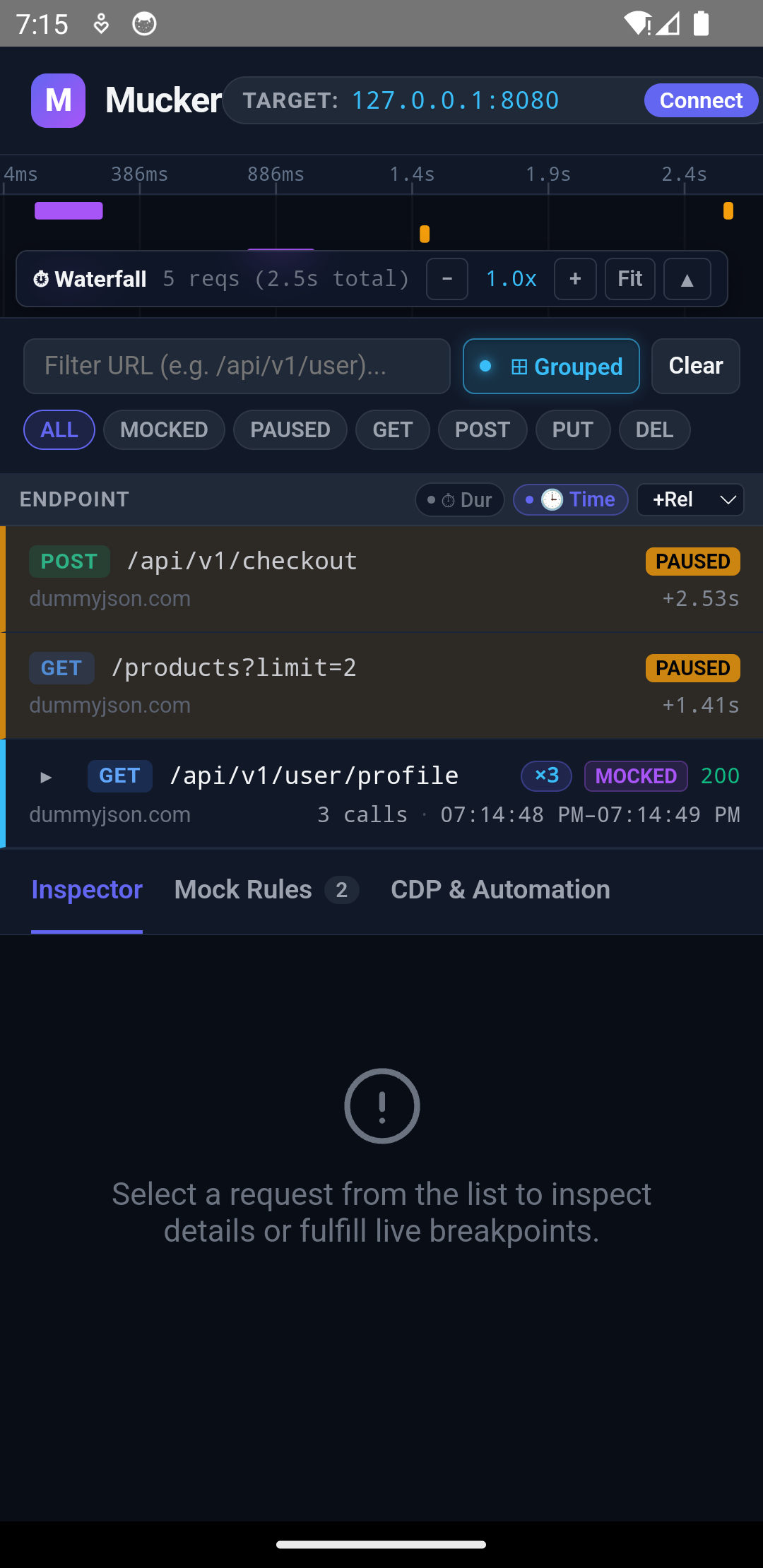
Watch network requests stream onto the waterfall timeline, inspect headers, and edit mock responses in-place.
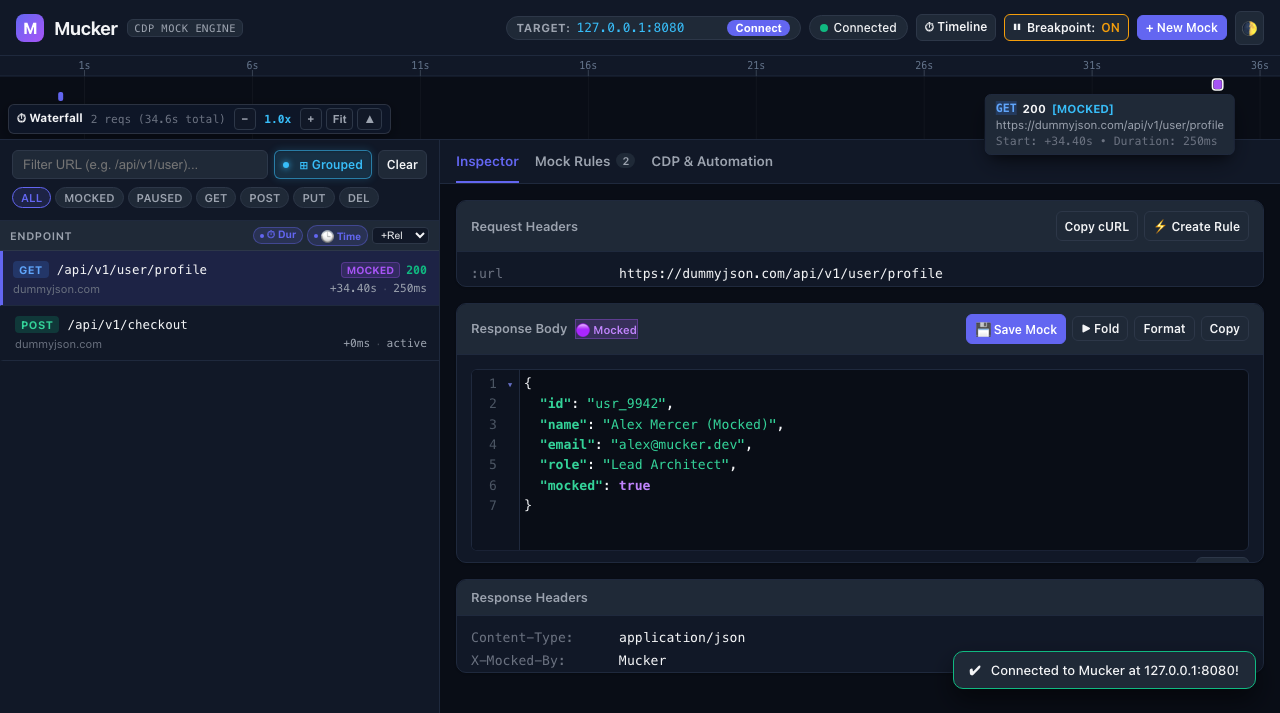
⌘S / Ctrl+Enter to activate the mock rule live.
Open Live Demo →
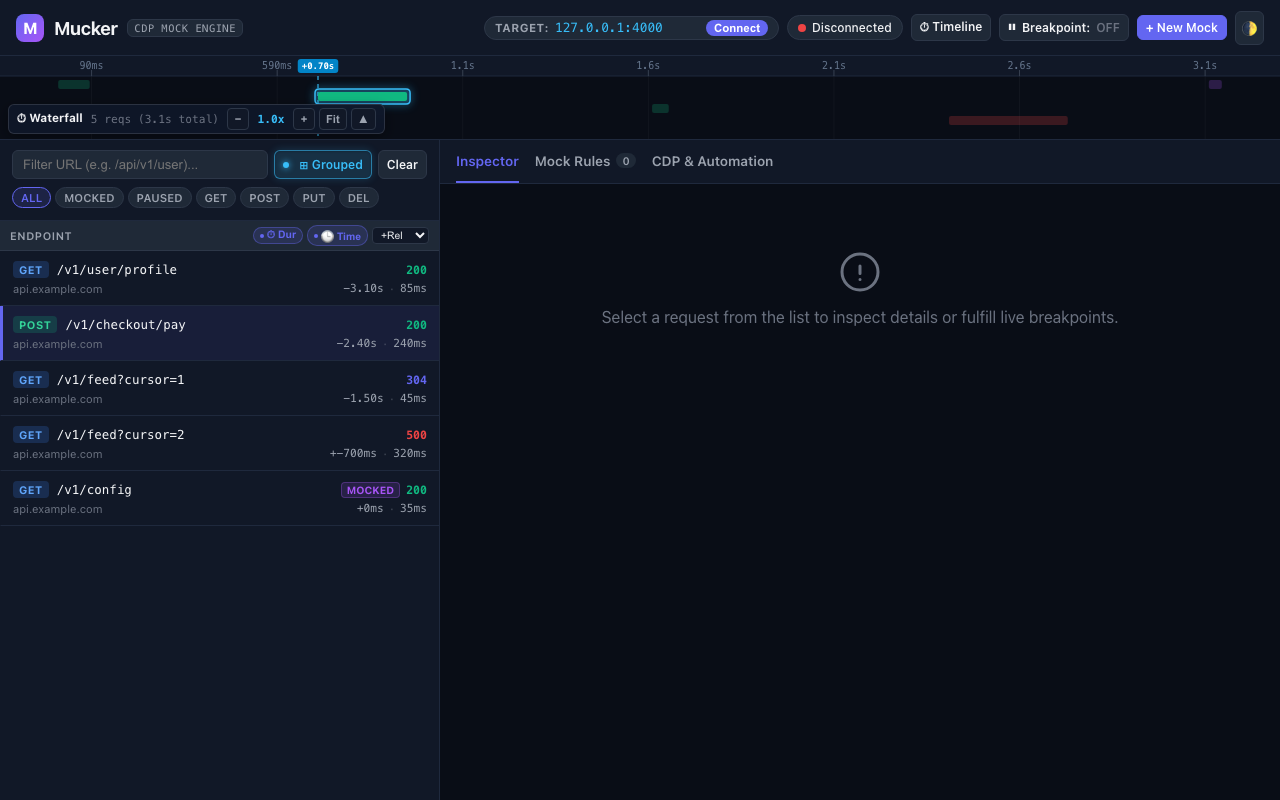
+1.87s), and renders a floating popover tooltip.
Why Mucker?
Solving the fundamental pain points of mobile network inspection and mocking.
Zero CA Certificates
No more struggling with Android 7.0+ user certificate restrictions or modifying network_security_config.xml. Intercepts directly in the OkHttp application layer.
Native Chrome DevTools (CDP)
Full support for the modern CDP Fetch Domain (Fetch.enable, Fetch.requestPaused, Fetch.fulfillRequest). Connect via Puppeteer, Playwright, or browser.
In-App + Desktop Web Dashboard
Click the system notification on your phone to open the in-app WebView, or open http://<phone-ip>:8080 on your laptop. Same impeccable real-time SPA dashboard.
Zero Native C++ Drag
Unlike Flipper which dragged in OpenSSL, Boost, and Folly C++ libraries that broke builds, Mucker is 100% lightweight Kotlin with zero build overhead and safe no-op stubs.
Live Breakpoint Interception
Pause requests in mid-air! Inspect request payload, tweak response body, modify status codes, and click Fulfill or Pass Through with automatic safe timeout protection.
Mucker CLI & AI Skills
Drive mocking directly from terminal or AI coding agents. One command to forward ports, add latency rules, stream live traffic, and mock payment failures.
Modular Dashboard & BYOF
Decoupled and open. Plug in custom panels (GraphQL, Chaos) or rewrite the frontend with React, Vue, or Svelte and bundle it into your APK.
End-to-End Workflow
Zero-configuration synchronization between OkHttp, the Embedded Micro-Server, and developer clients.